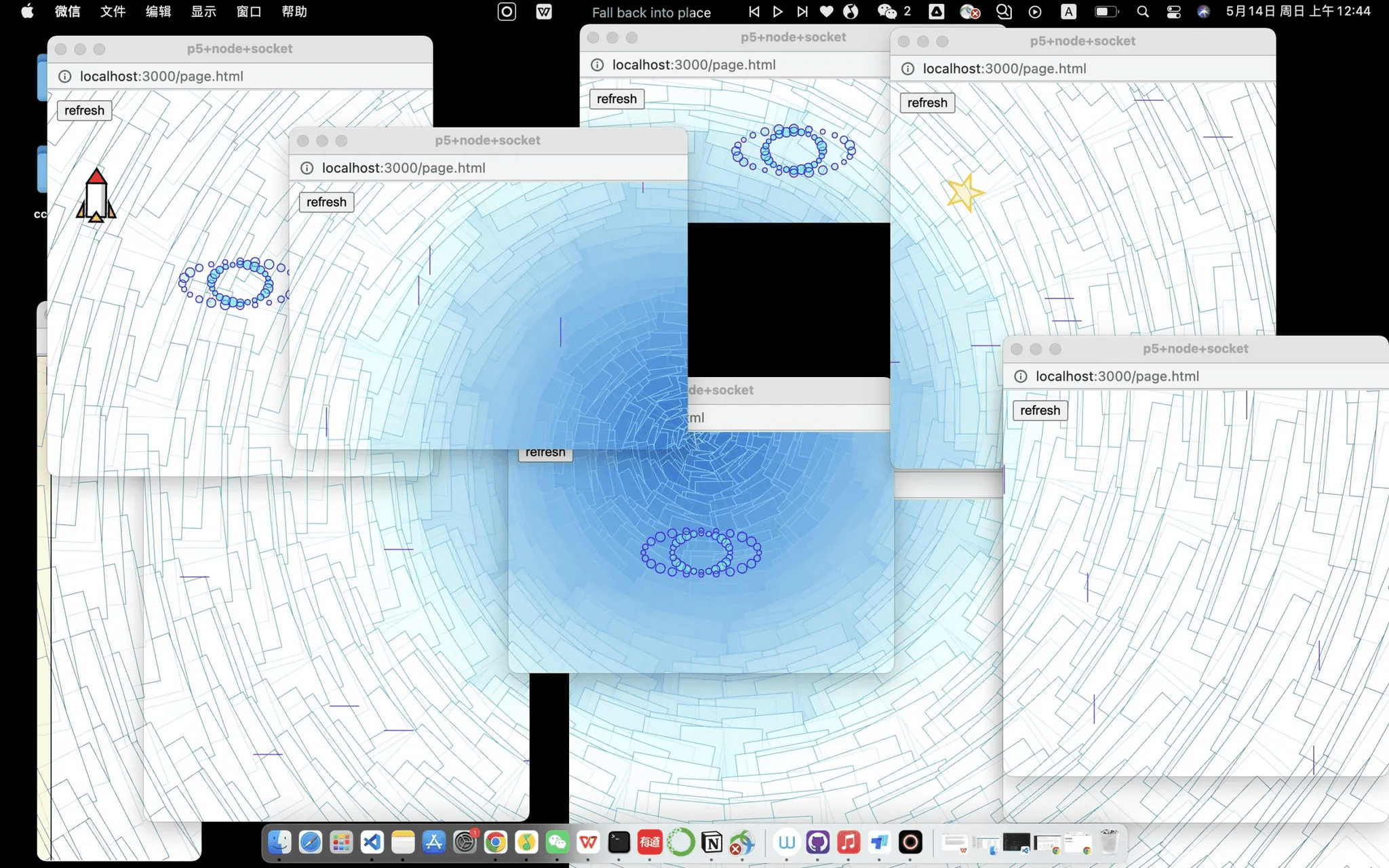
A networked game that lives across multiple browser windows.
Abstract
Between Worlds is an interactive web game that reimagines how we interact with browser windows. Instead of consuming content passively, players guide a rocket through multiple interconnected browser windows, each with unique physics properties: Some bounce the rocket back, others push it in specific directions, and black holes teleport it to random locations. The rocket's movement transcends single-window boundaries, creating a dynamic cross-window experience where players strategically open, resize, and reposition windows to navigate the rocket to its destination. Built with p5.js, Node.js, and Socket.io, this project establishes real-time server-client communication that synchronizes the rocket's position across all windows. Inspired by @zach.lieberman's multi-window compositions, Between Worlds challenges conventional web interactions and invites users to see browser windows not as isolated containers, but as interconnected portals into a shared digital universe.
Toolkit
node.js, p5.js
Demo Video
Process
1. Process: Design and Composition
I can break down my design process into three parts: Designing the concept, building a server-client network, and polishing the interaction.
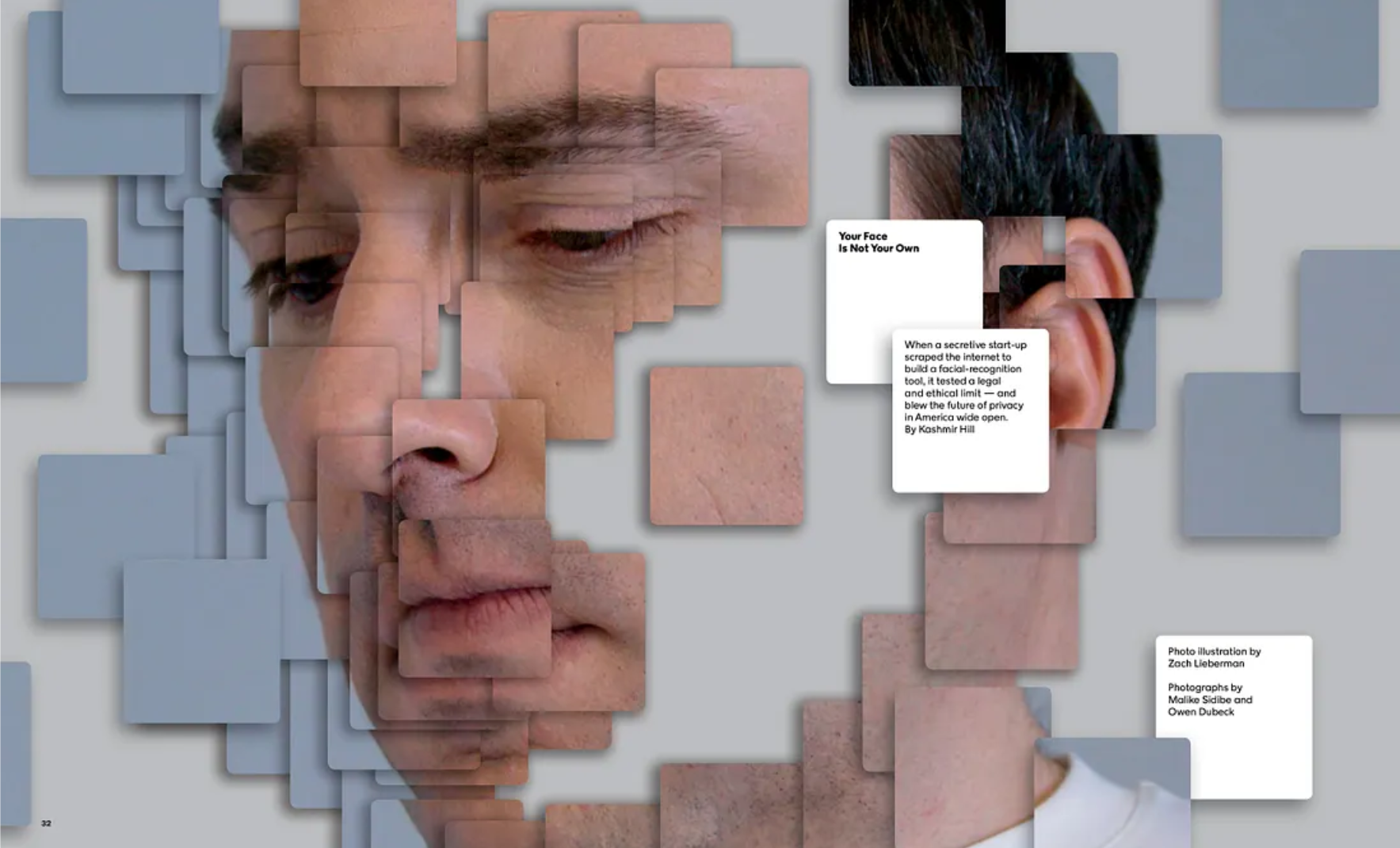
Firstly, I spent a lot of time deciding what kind of project it should be. Actually, I saw this interesting project by @zach.lieberman. He used a lot of windows as the components of his project, and the graphs inside the windows are connected with each other. This showed me the fascinating possibility of building a connection between windows. I knew it was possible! And then I asked Professor Moon and he affirmed that I can build this with the knowledge learned in CCLab and another class (expanded web), which is using node.js to enable server-side programming in javascript.
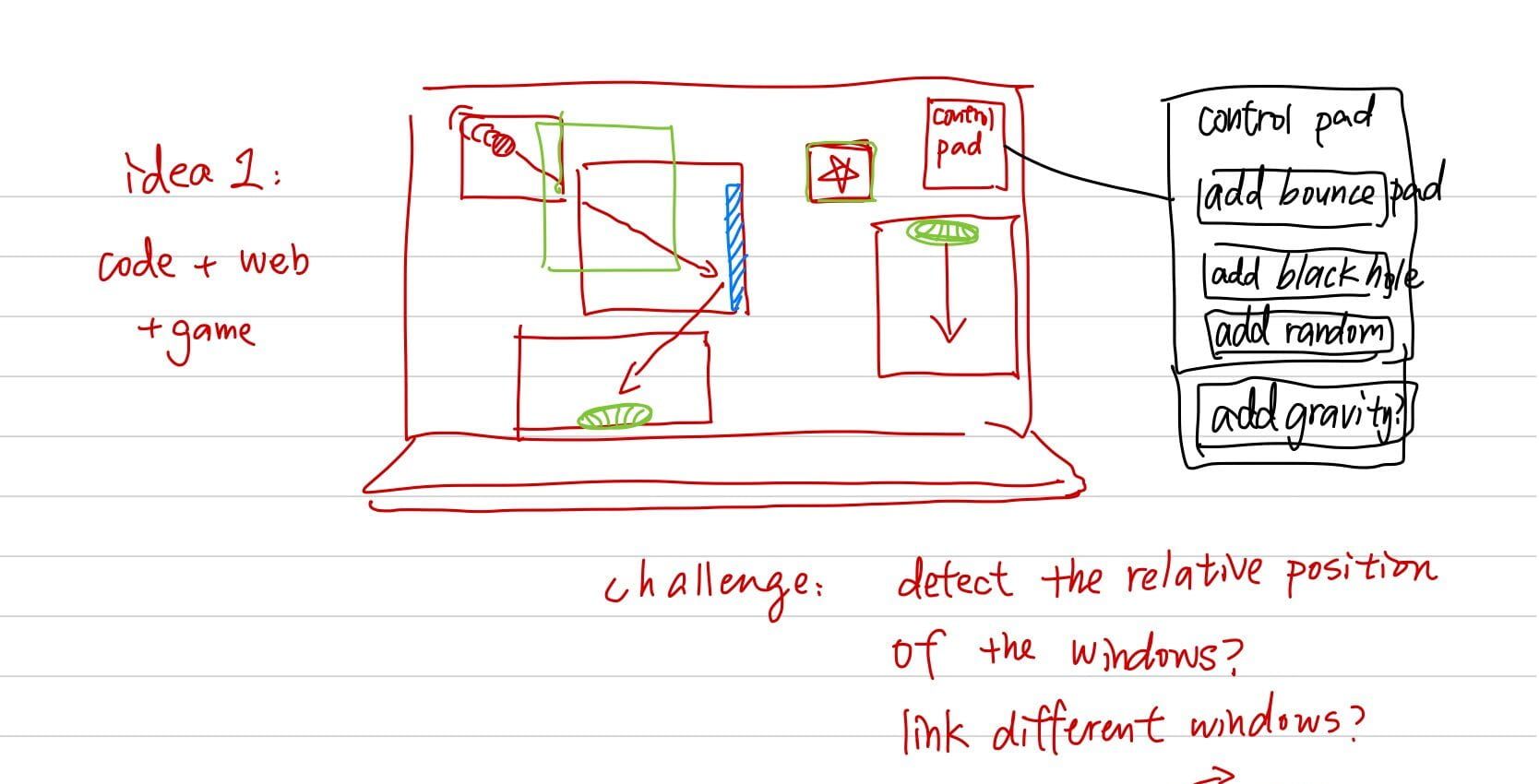
Therefore, I decided to create an interactive game based on HTML and p5js, where you can see an object traveling through interconnected windows! Isn't that cool? The object's movement is no longer trapped inside a single window. And also, every window will have a unique property, for example, it can bounce back the object, push the object in some direction, or teleport the ball to a random place using a black hole! You cannot directly control the object, but should open, move and change the size of the windows to better utilize its unique function and control the object.
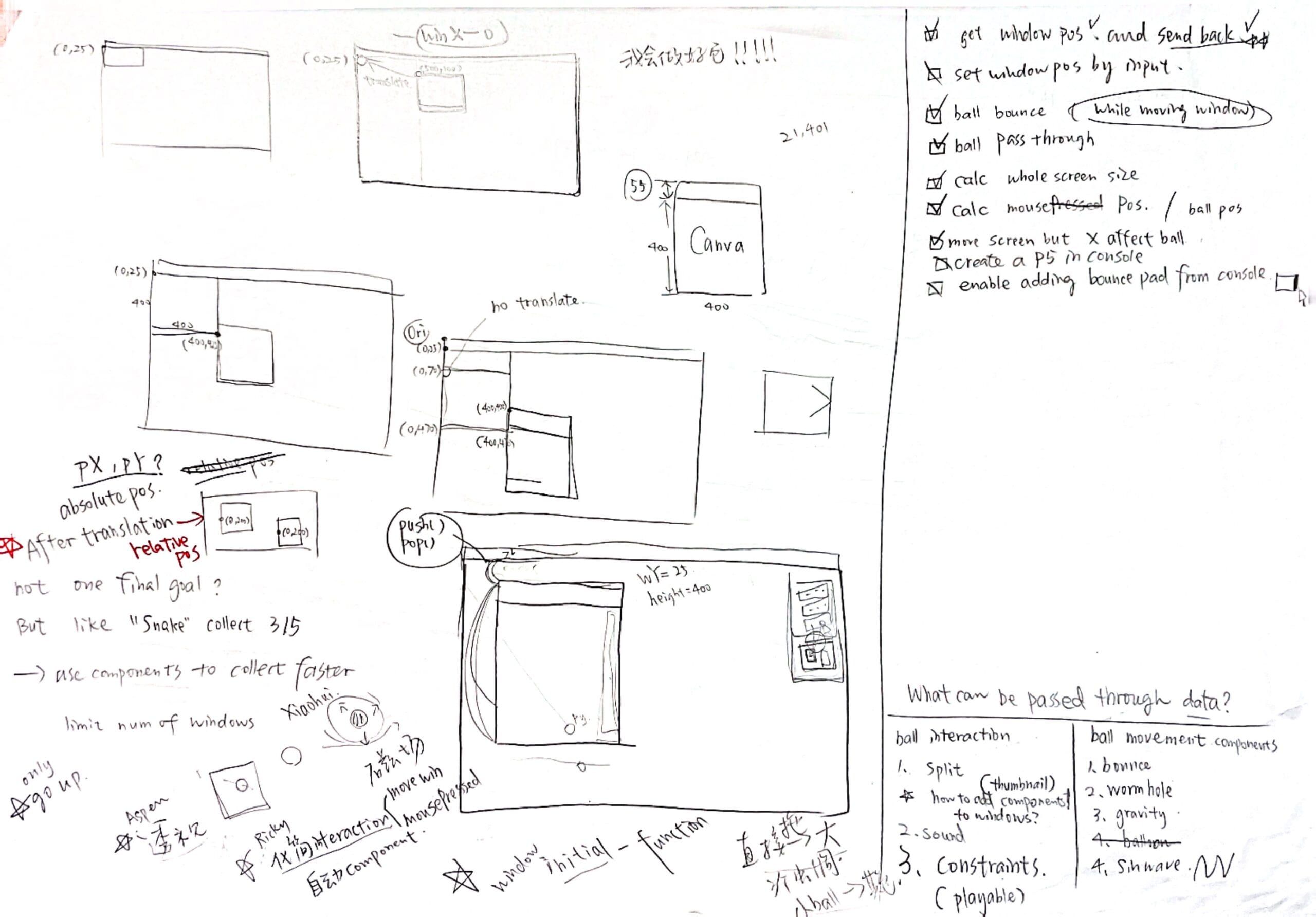
This is my sketch when brainstorming.
I named this project "Between Worlds" because of the concept and also because I love the song with the same name!
And also, I added one of my favorite p5js sketches in CCLab as the "background". Actually I'm not going to call it the "background", because it can be seen as the otherworld where the windows are located… And the browser windows are actually the "windows" through which we can peer into that world! No matter how you move and resize the windows, the picture they create together will always remain there.
Secondly, I wanted to build a server-client network using node.js and socket.io. With the help of Professor Moon, I learned the basic concept thoroughly and was able to build a structure that enabled data transmission between the windows (clients) and the server. I will discuss it in more detail in the technical part.
Lastly, I made several decisions to improve the interaction way and user experience of my project. For example, I added fractions to the rocket which reduced the difficulty of controlling the rocket by limiting its highest velocity. I controlled the scope of influence of the black hole so that the rocket can be attracted to the center of it from a distance. And I also spend much time thinking of other properties of the window, but in the end, I abandoned most of them because it is actually better to keep the interaction method simple and easy to understand.
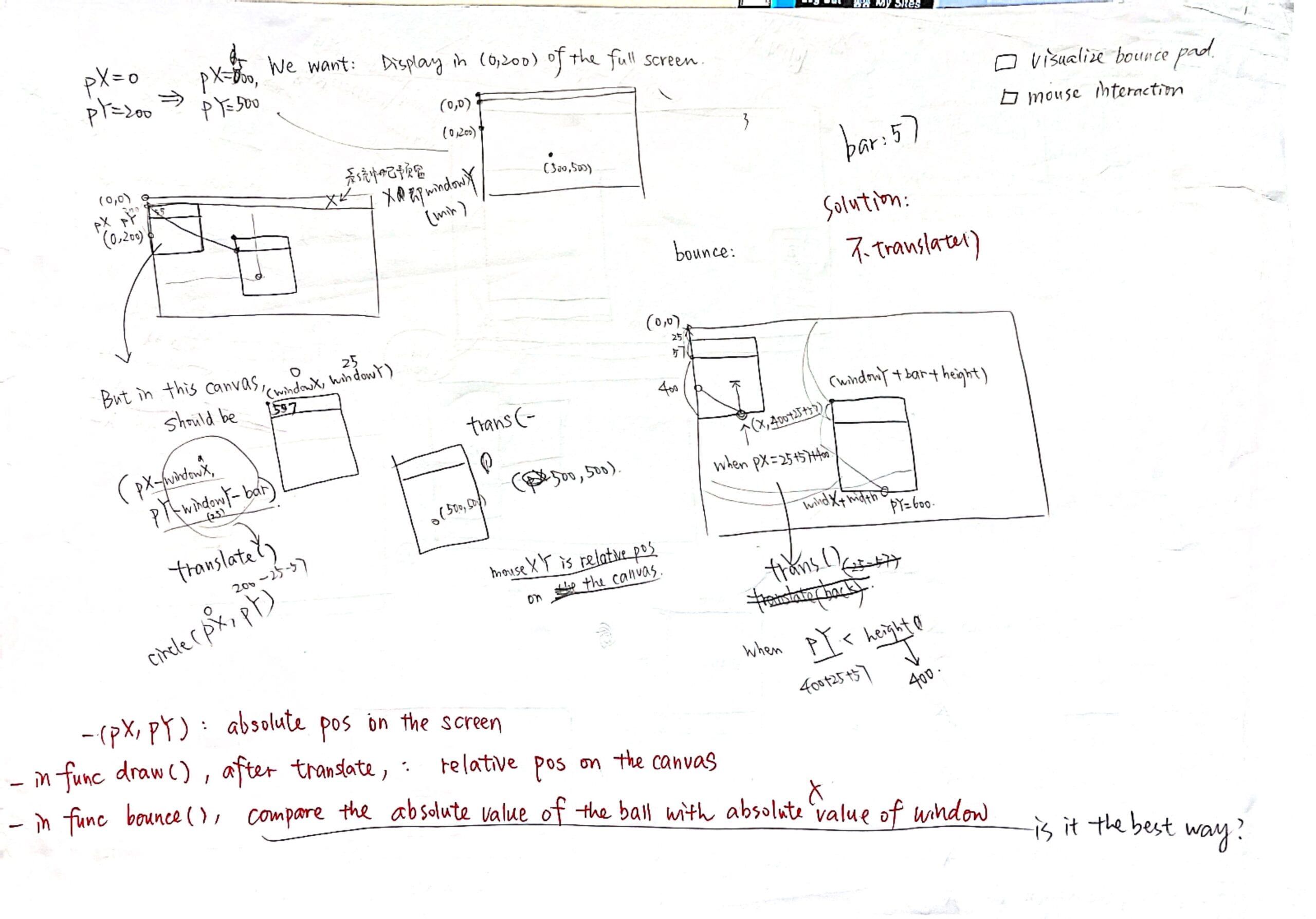
Below are my sketches of all the tasks, calculations, and important decisions during the process.
2. Process: Technical
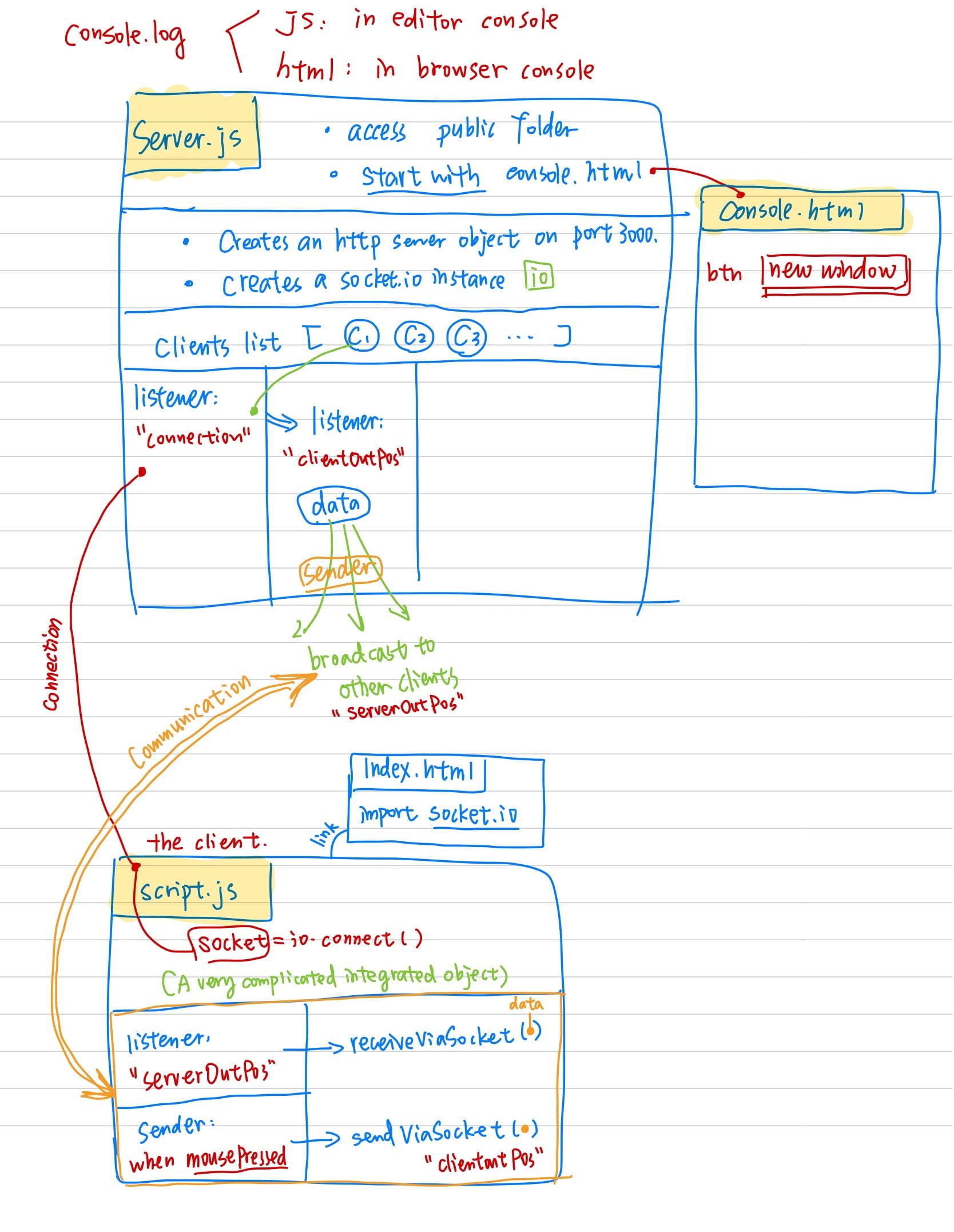
In the technical part, the most important part will definitely be building the connection between the server and the clients. After lots of patient help from Professor Moon, I built the structure with node.js and socket.io and tried to understand how the communication inside works.
And here's my interpretation:
Another big challenge was to keep all the elements displayed in each window aligned with each other so that no matter how we move the windows, the visual elements stay as a whole. I adopted Professor Moon's suggestion, which was to use the translate() function. I just need to know the distance between the origin point of the screen and the origin point of the window and translate everything back by that distance. And I should also take the height of the window bar into consideration. The calculation seemed simple but I spent a lot of time to get it to work without any errors.
And the next step was to build a class for the rocket (I named it Ball because initially, the object traveling between worlds was just a ball). All the attributes of the ball are recorded and updated through the server-client communication every time some function applies to the ball.
And every time you create a new window, its property is going to be randomly generated. I achieved this by invoking different functions in the same script file, under the control of several if/else statements.
3. Reflection and Future Development
During the project, I stepped out of my comfort zone and learned new concepts about node.js and client-server communication. I also learned how to maximize effect using the most approachable method. For example, at first, I tried to transmit the data from client to client, which was much more complicated compared to simply emitting the data from the server to all the clients. But later I realized that it is not an efficient way at all, and I decided to give up some minor expectations to better work on the important parts and improve the existing interactions.